
Create fuse bead patterns with handpix
Ironed-bead previews, a clear and intuitive interface, customizable pattern styles, and one-stop exports for social-ready content.
For iPad and iPhone
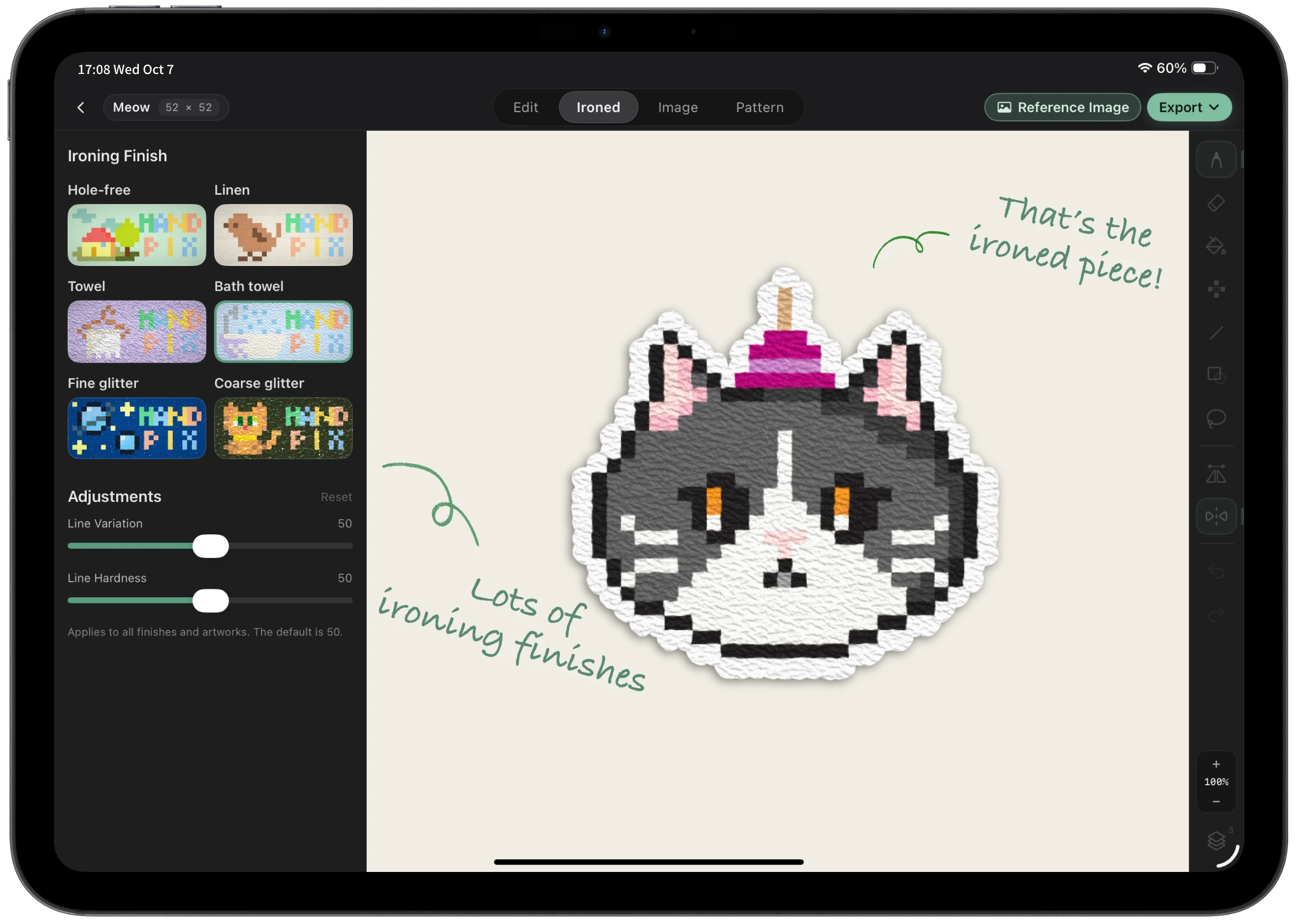
Colors you can trust. What you see is what you get.
Colors are calibrated by hand against real ironed beads, with finished-piece previews available while you edit.
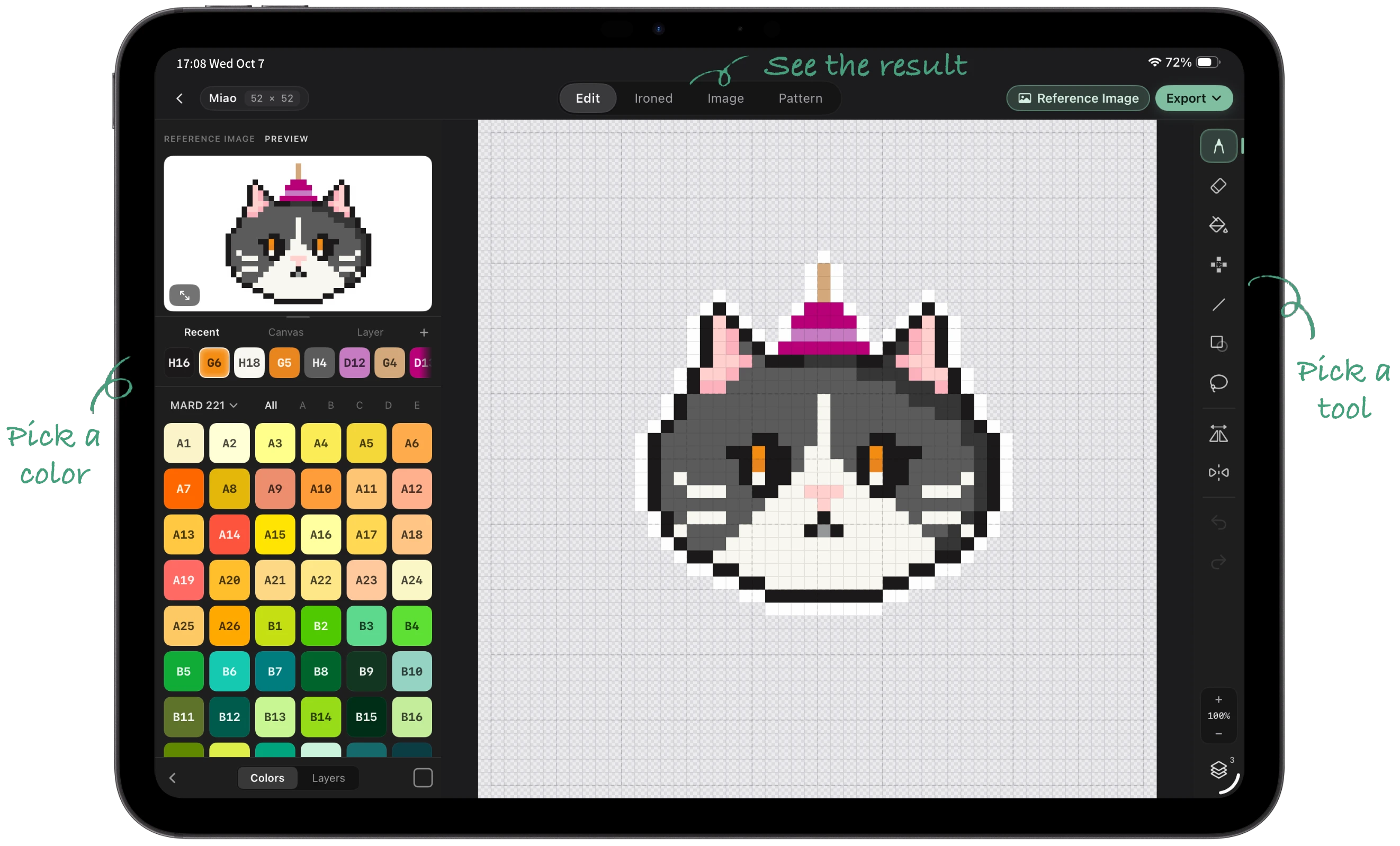
Easy to learn, effortless to use
A clear interface keeps colors, tools, and results close at hand, so you can start creating right away.
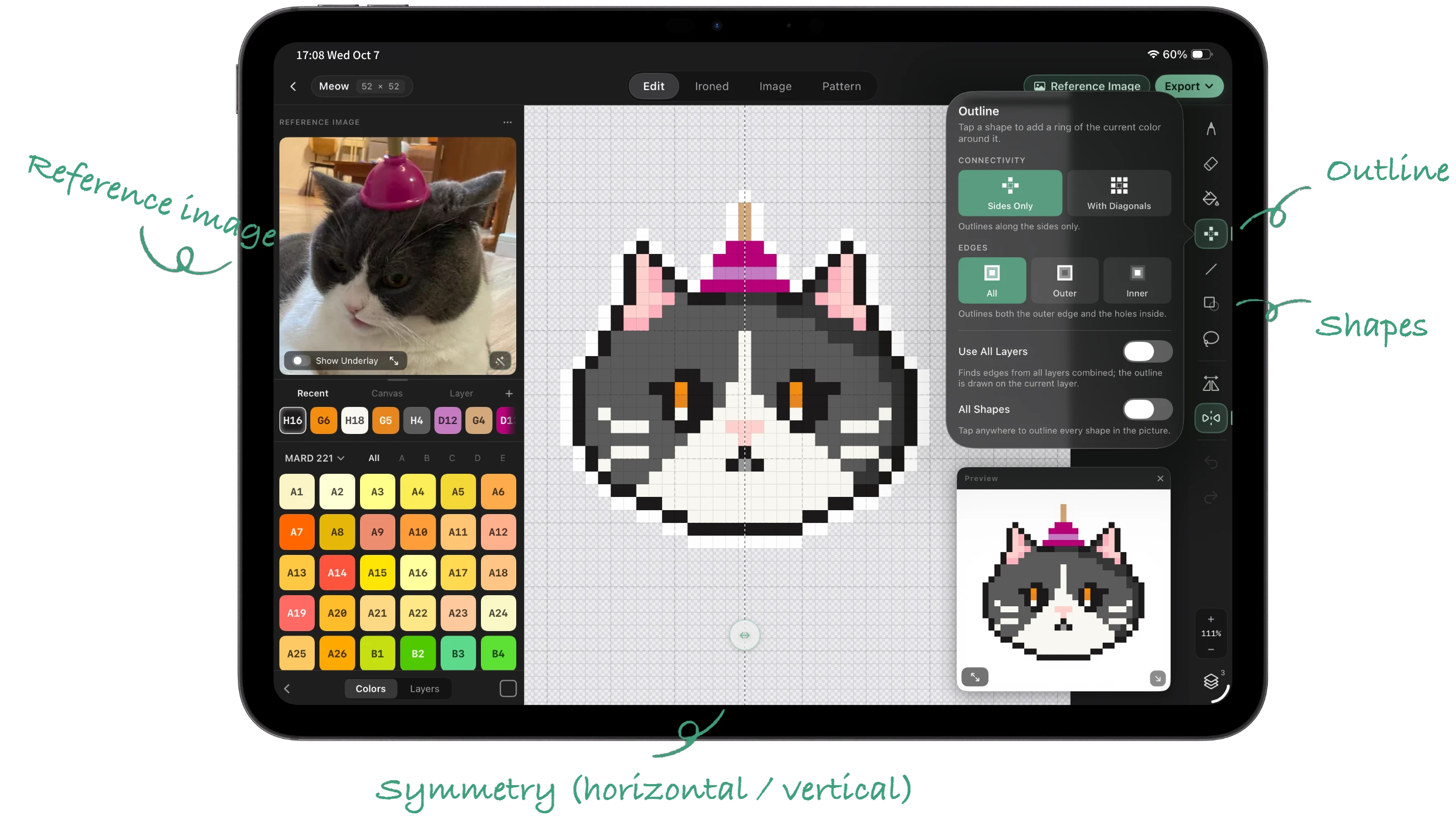
A complete toolkit that speeds up your workflow
Reference images, outlines, shapes, eyedropper, drag-to-fill, lasso selection, mirroring, horizontal and vertical symmetry, and more.
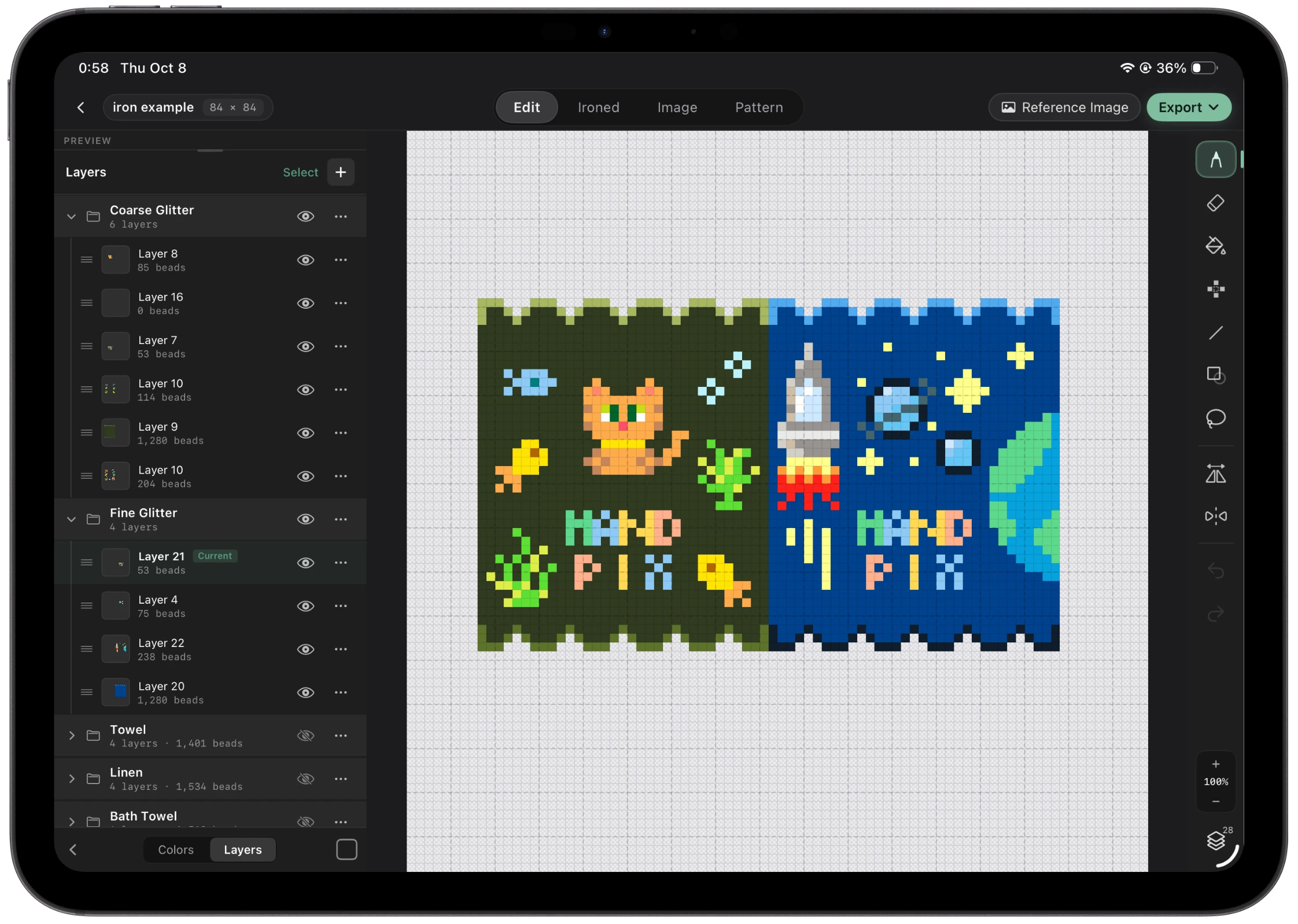
Keep complex patterns organized with layers and groups
Put subjects, backgrounds, and decorations on separate layers, then organize them into groups to move, edit, and show or hide them together.
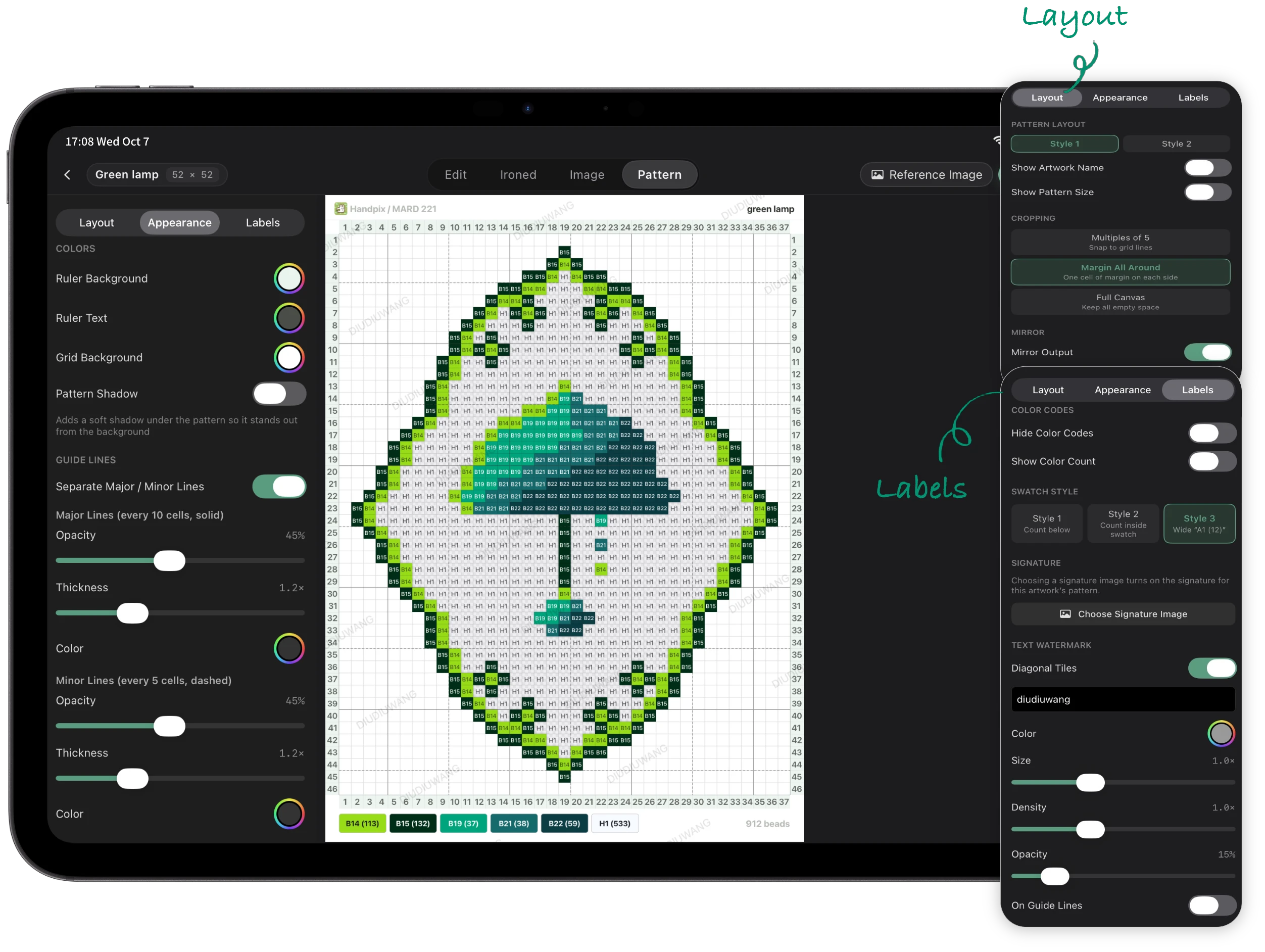
Customize every detail of your pattern sheets
Tune major and minor grid lines, ruler colors, legend styles, signatures, text watermarks, and mirrored output until the sheet feels right.
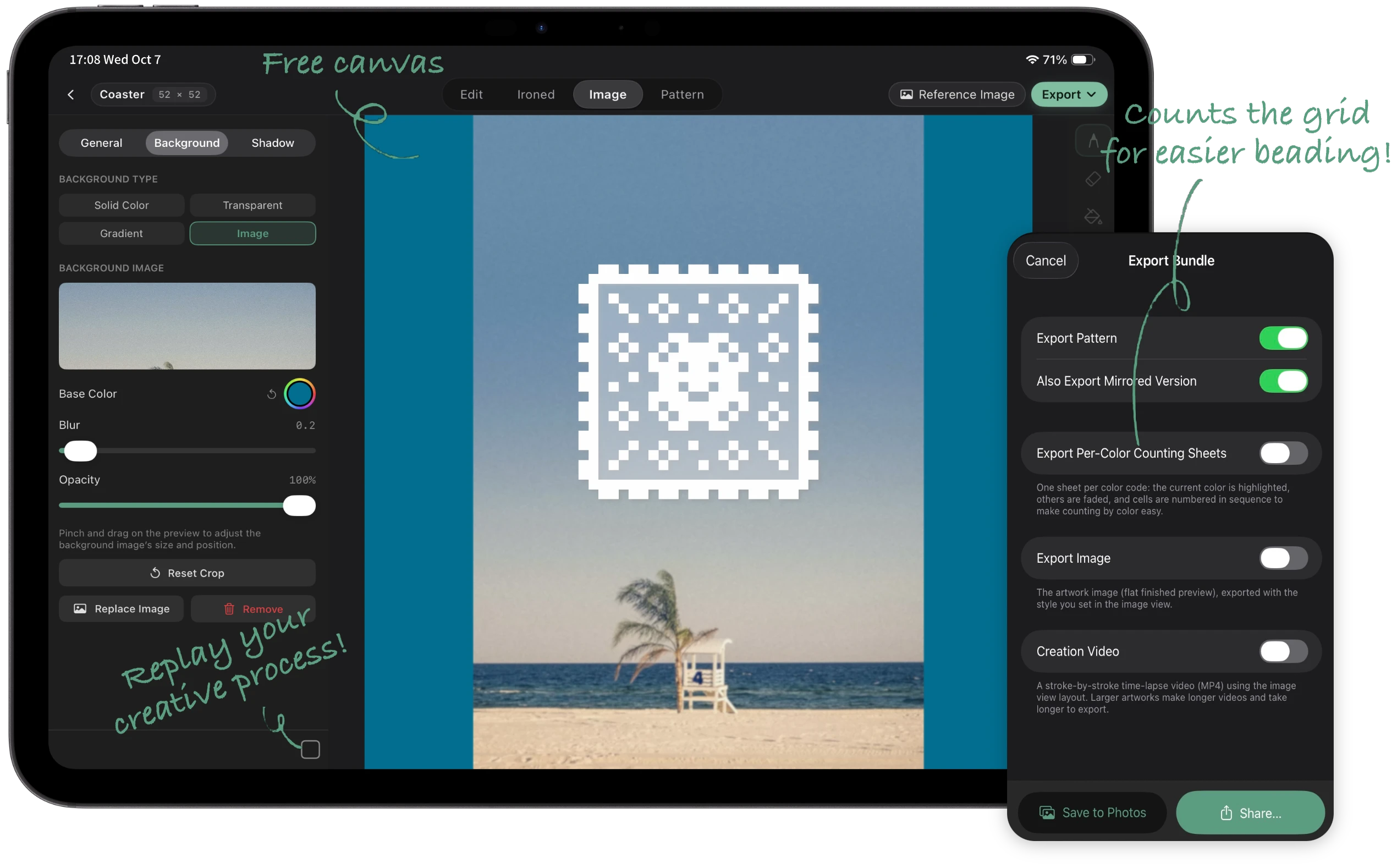
Design freely. Export everything in one place.
Compose artwork on a flexible canvas with background images, then export pattern sheets, per-color counting sheets, finished artwork, and creation videos together.
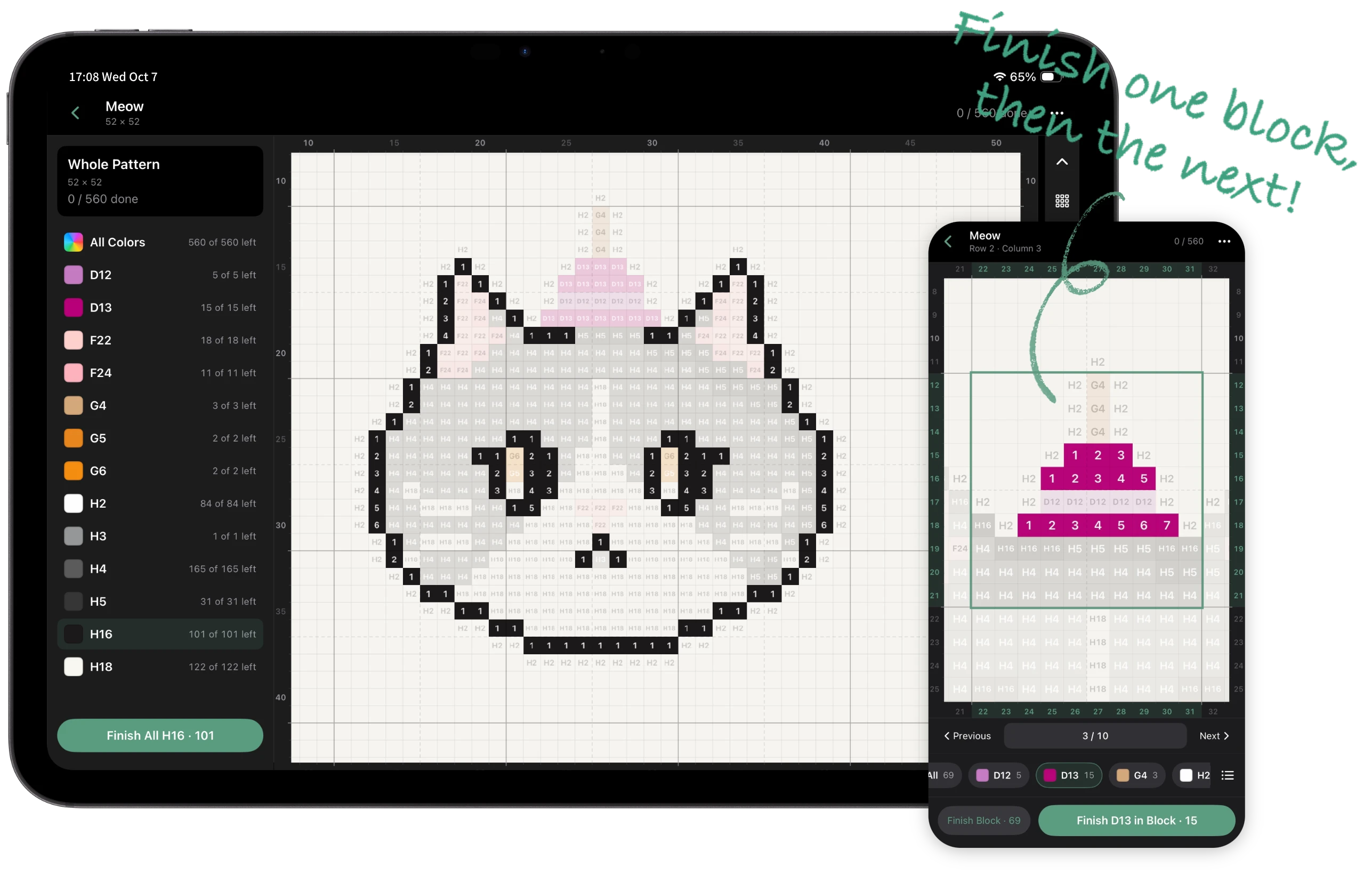
Finish your pattern. Start beading right away.
The built-in beading workspace lets you start as soon as your pattern is done. Bead color by color or in 5×5 or 10×10 blocks, and track your progress as you go.
Who handpix is for
- Pattern creators who need to produce, revise, and share work efficiently.
- Fuse bead artists turning portraits, pets, favorite designs, original characters, or pixel art into patterns.
- Fuse bead shops and craft studios designing, revising, and delivering patterns for customers.
Create and export for free
Download for free and make your own bead patterns. Choose Pro when you want extra finishes and a workflow across devices.
Included for free
- Drawing, image-to-pattern conversion, layers, and layer groups
- Built-in brand palettes, bead counts, and the beading workspace
- PNG, smart PDF, artwork file, and creation video exports
- Hole-free, linen, and bath-towel ironing previews
Handpix Pro
- Sync artworks and your signature across devices with iCloud
- Towel, fine-glitter, and coarse-glitter finishes
- Custom background images for artwork presentations
- Create reusable color sets for your favorite combinations
Pro is available as a subscription or a one-time purchase. See the App for current prices. If your subscription expires, local artworks, core editing, and exports remain available. Existing color sets can still be used and edited, but new sets cannot be created. iCloud sync stops when the App confirms that Pro is no longer active.
FAQ
Which devices does it support?
handpix supports iPad and iPhone, and Macs with Apple silicon (M1 or later) can run the iPad version. It supports Apple Pencil, and it also works with touch.
Which fuse bead brands are supported?
handpix includes built-in palettes for MARD, COCO, Perler, Hama, Artkal, Nabbi, Yant, and other major fuse bead brands.
What can I do for free?
Core drawing, image-to-pattern conversion, the beading workspace, and all export formats are free. Pro adds iCloud sync, extra ironing finishes, custom background images, and the ability to create reusable color sets.
Can I turn a photo into a bead pattern?
Yes. Import a reference image, then generate a pixel pattern using a bead palette. Adjust the color style and target number of colors, preview the result, and continue editing it as a regular layer.
Can I sync across devices?
Yes. With active Handpix Pro, enable artwork sync in the App’s Settings › Data & Sync on each device. Local saving works offline; iCloud sync needs a connection and may take time. Conflicting edits may be kept as separate copies.
Start creating with handpix
For iPad and iPhone